Daily Opening and Closing Checklists for Gallery Staff
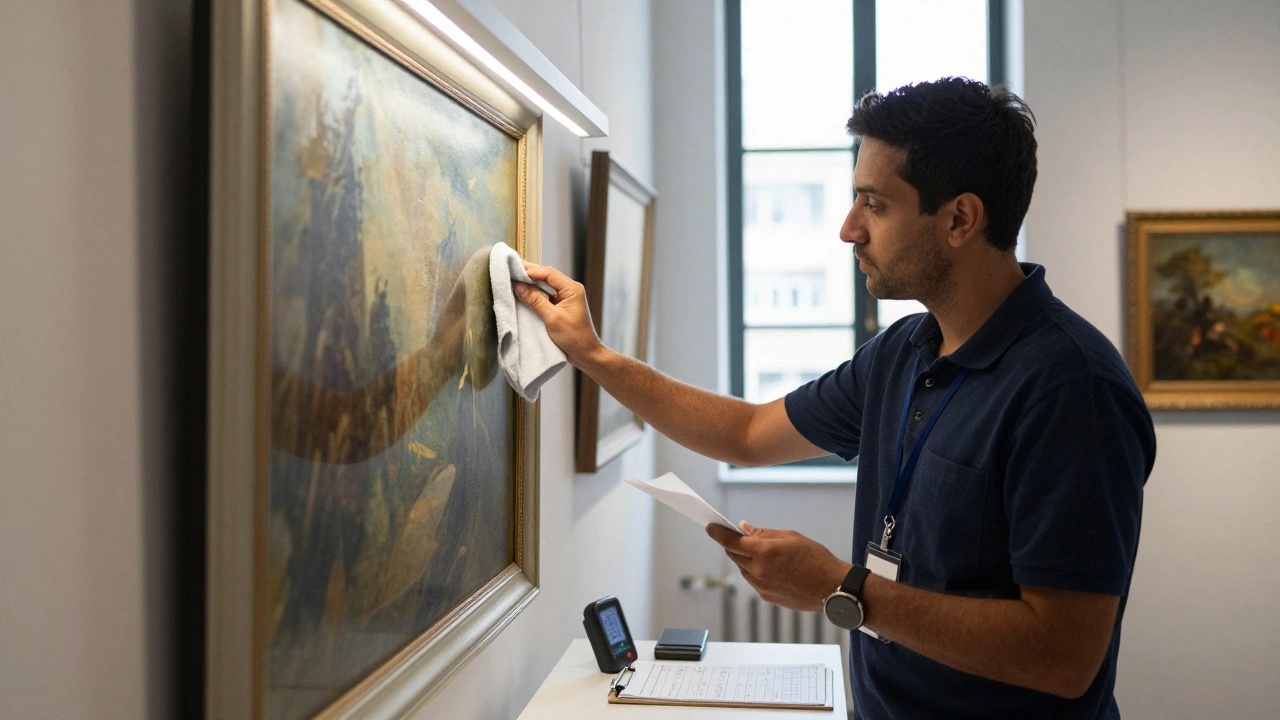
Running a gallery isn’t just about hanging art and serving coffee. It’s a rhythm-daily rituals that keep the space safe, clean, and ready for visitors. If your gallery staff skips even one step on the opening or closing checklist, you risk damaged artwork, broken systems, or lost revenue. There’s no room for guesswork. That’s why every gallery, big or small, needs a clear, written checklist. And it’s not about being rigid-it’s about being reliable.
Opening Checklist: Start the Day Right
Before the first visitor walks in, the gallery must be in perfect condition. This isn’t optional. A single smudge on a painting, a flickering light, or a jammed door sensor can turn a casual browser into a frustrated ex-customer.
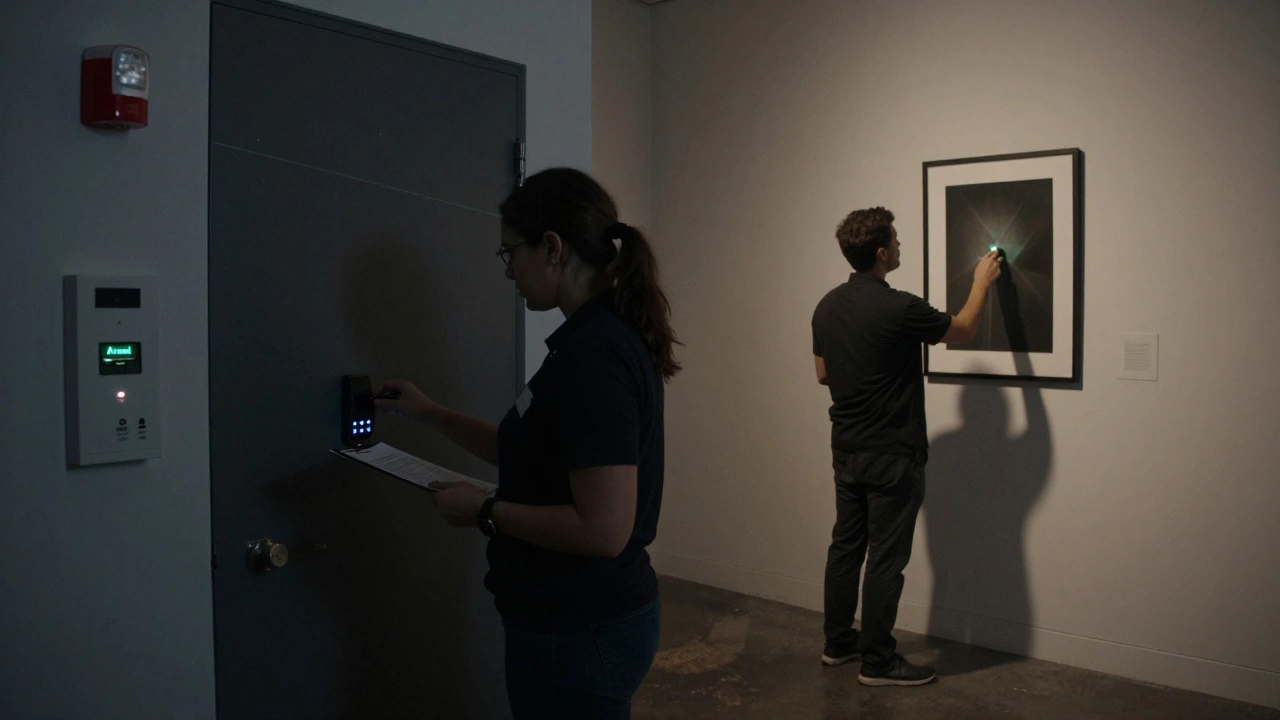
- Activate security systems-arm motion detectors, door sensors, and glass break alarms. Double-check that the control panel shows ‘Armed’ and no zones are faulted.
- Turn on climate controls-set the temperature to 68-72°F and humidity to 45-55%. Use a calibrated hygrometer to confirm readings. If the system hasn’t run overnight, let it stabilize for at least 30 minutes before opening.
- Inspect lighting-check all display lights, track lights, and accent spots. Replace any bulb that’s dim, flickering, or has a halo. UV-filtered LED bulbs are standard; if you’re using halogens, make sure they’re at least 12 inches from artwork.
- Verify display integrity-walk through every gallery room. Look for loose frames, tilted canvases, or dust on glass. Use a microfiber cloth and a soft brush. Never use spray cleaners on glass or acrylic.
- Check entry points-test all doors and emergency exits. Ensure the automatic door opener (if any) responds smoothly. Confirm the front desk phone line is active and the intercom works.
- Restock supplies-fill brochures, pens, clipboards, and hand sanitizer. Have a fresh stack of visitor logs ready. If you have a digital kiosk, reboot it and confirm it’s online.
- Review the day’s schedule-check for private viewings, artist talks, or delivery arrivals. Update the staff whiteboard. If a piece is being installed, confirm the art handler’s arrival time.
These steps take about 20-30 minutes. Do them in order. Don’t rush. A rushed opening creates a domino effect of mistakes.
Closing Checklist: End the Day Securely
Closing is just as important as opening. Nighttime is when most thefts, water leaks, and system failures happen. A gallery left unsecured for even 15 minutes can lose everything.
- Confirm all visitors have left-do a full walkthrough. Check storage rooms, restrooms, and loading docks. Don’t assume someone didn’t sneak in.
- Turn off non-essential lighting-keep only emergency and security lights on. Turn off all display lighting. Leaving lights on overnight can fade pigments and overheat sensitive materials.
- Deactivate climate controls-set them to energy-saving mode if your system supports it. If not, leave them at the overnight setpoint (68°F, 50% RH). Never shut them off completely.
- Secure all artwork-if any pieces were moved for cleaning or photography, return them to their exact positions. Check that all hanging wires, D-rings, and picture rails are secure. Use a laser level if needed.
- Lock all access points-doors, windows, service entrances, and storage closets. Use a keycard log if you have one. Record who locked up and when.
- Disarm security systems-only after confirming all zones are clear. Then re-arm them. Test the alarm with a quick keypad press to hear the confirmation beep.
- Check for leaks or damage-look under sinks, near HVAC units, and along baseboards. Water damage is silent and expensive. If you see moisture, document it immediately with a photo and notify the manager.
- Log the day-fill out the daily operations log. Note any issues: “HVAC fluctuated at 3:15 PM,” “Visitor dropped brochure near sculpture #4,” “Door sensor 3 triggered at 11:02 AM.” This becomes your audit trail.
Most galleries take 25-40 minutes to close properly. It’s not a chore-it’s a responsibility.
Why Checklists Beat Memory
You’ve seen it: a new staff member forgets to check the humidity. A veteran skips the lighting check because “it’s fine.” Human memory is unreliable. Stress, fatigue, and distractions make even the most experienced team miss steps.
A 2023 survey of 142 North American galleries found that 68% of minor damage incidents (scratches, dust buildup, misaligned frames) happened on days when no checklist was used. Only 9% occurred when staff followed a written routine.
Checklists don’t just prevent damage-they build consistency. When every shift follows the same steps, training becomes easier. Handoffs between day and night staff become seamless. And if something does go wrong, you can trace it back: “Did they check the alarm?” “Was the hygrometer calibrated?”
Customize Your Checklist
No two galleries are the same. A small downtown space with 12 pieces needs a different routine than a 20,000-square-foot institution with 500+ works.
Here’s how to tailor yours:
- For high-value collections-add a step: “Verify all RFID tags are active.” If you use tracking chips, run a quick scan before closing.
- For galleries with sculpture-include: “Check pedestal stability. Look for dust accumulation on bases. Confirm no foot traffic near unstable pieces.”
- For galleries with digital art-add: “Reboot media players. Confirm screen brightness is set to auto. Check for software updates pending.”
- For galleries with a café or shop-add: “Clean espresso machine. Lock cash drawer. Reset POS terminal.”
Keep your checklist simple. One page. Front and back. Print it. Laminate it. Tape it to the front desk. Update it every quarter.
Common Mistakes to Avoid
Even with a checklist, mistakes happen. Here are the most common ones-and how to fix them:
- Skipping climate checks-humidity swings crack canvas, warp wood, and cause mold. Buy a $30 digital hygrometer and log readings daily.
- Using paper towels or glass cleaner-they leave residue. Use only microfiber cloths and distilled water. No ammonia. Ever.
- Forgetting to log issues-if you don’t write it down, it didn’t happen. Use a simple Google Form or printed logbook. Name, date, issue, action taken.
- Letting one person handle everything-always have a buddy system for closing. One person locks, the other verifies. Two sets of eyes prevent oversights.
- Not training new hires-don’t hand them a checklist and say “figure it out.” Walk them through it. Do a mock opening. Time them. Make it part of onboarding.
What Happens When You Skip It
In 2024, a Portland gallery lost a $42,000 watercolor when a janitorial crew entered after hours because the alarm wasn’t armed. The staff had skipped the closing checklist for three nights in a row.
Another gallery in Seattle had to close for two weeks after a pipe burst behind a wall. The leak had been dripping for days-no one checked the basement during closing.
These aren’t horror stories. They’re preventable. Every gallery that uses a checklist sees fewer insurance claims, fewer staff errors, and more visitor trust.
Final Thought: It’s Not Just a List
A checklist isn’t paperwork. It’s your gallery’s heartbeat. It’s the quiet rhythm that lets art speak without fear. It’s the difference between a space that feels alive and one that feels neglected.
Stick to it. Update it. Train on it. And when someone says, “We’ve done this for years-we don’t need a list,” show them the data. Show them the damage reports. Show them the cost of a single mistake.
Art deserves better than luck.
How often should gallery checklists be updated?
Update your checklists every quarter. Change them when you add new artwork, install new lighting, upgrade security systems, or hire staff with different responsibilities. Also update after any incident-like a leak, alarm failure, or theft-even if it was minor. The checklist should evolve with your space.
Who should be responsible for completing the checklist?
The lead gallery attendant or shift supervisor should complete and sign off on each checklist. But ideally, two people should verify critical steps: one does, the other checks. This reduces human error. New staff should always shadow a veteran before doing it alone.
Can digital tools replace paper checklists?
Yes, and many galleries now use apps like Trello, Airtable, or custom-built tools on tablets. Digital checklists auto-time-stamp entries, send alerts if steps are missed, and store logs in the cloud. But don’t ditch paper entirely-have a printed backup in case of power outages or tech failures.
What if a staff member forgets a step?
Don’t punish them. Use it as a training moment. Review the step together. Ask why it was missed. Was the checklist unclear? Was the person rushed? Adjust the checklist or schedule to prevent recurrence. Culture matters more than blame.
Do galleries need separate checklists for different types of days?
Absolutely. A regular weekday opening is different from a Friday night reception, a private viewing, or a holiday closure. Have three versions: Standard, Event, and Holiday. Each should include unique steps-for example, Event includes extra security personnel, additional lighting, and beverage station setup.