Accessible Exhibition Design: Tactile Models and Audio Guides for Inclusive Museums
Have you ever walked through a museum and felt like the art was just out of reach? Not because it was behind glass, but because the way it was presented didn’t let you truly experience it? For people who are blind or have low vision, traditional exhibitions often feel like a series of locked doors. But there’s a better way - one that doesn’t rely on sight alone.
Why Sight Isn’t the Only Way to Experience Art
Most museums still treat visual access as the default. Signs, labels, and wall texts assume everyone sees the same way. But what if you can’t see them at all? Or if your vision is blurry, flickering, or fading? That’s where tactile models and audio guides step in - not as afterthoughts, but as essential parts of the design.
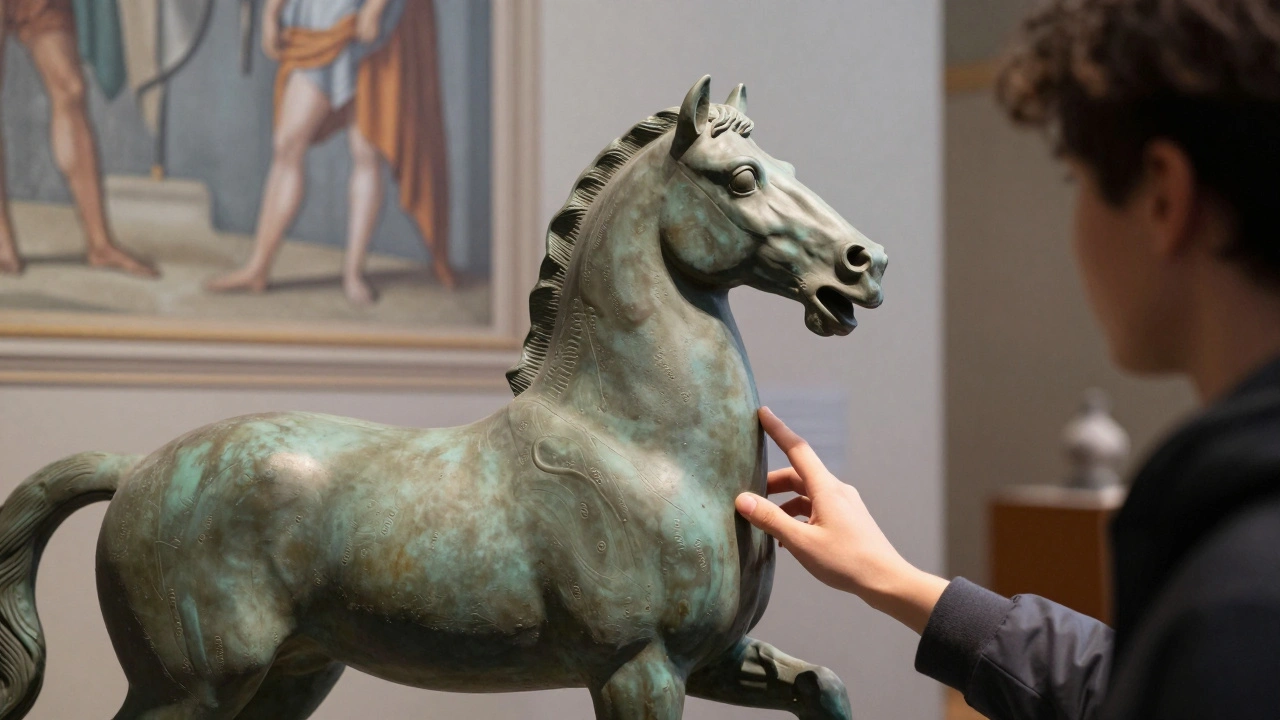
A tactile model isn’t just a small replica. It’s a carefully scaled, textured version of a sculpture, painting, or architectural space, made so you can feel its shape, depth, and movement. A bronze statue of a horse? You can trace the curve of its neck, the ripple of its muscles, the flow of its mane. A Renaissance fresco? You can run your fingers over raised lines that show where the figures stand, how the light falls, how the composition unfolds.
These models aren’t toys. They’re precise. They’re made using 3D scanning, laser engraving, and high-res molding. Some museums even use temperature-sensitive materials so a sunlit window in a painting feels warmer than the shadowed wall beside it. The goal isn’t to copy what you’d see - it’s to translate visual information into something your hands can understand.
How Audio Guides Go Beyond Simple Narration
Audio guides used to mean a tinny speaker and a script that said, “This is a portrait of Marie Antoinette, painted in 1778.” Now, they’re immersive experiences. Modern audio guides for accessible exhibitions don’t just describe - they guide you through space, emotion, and context.
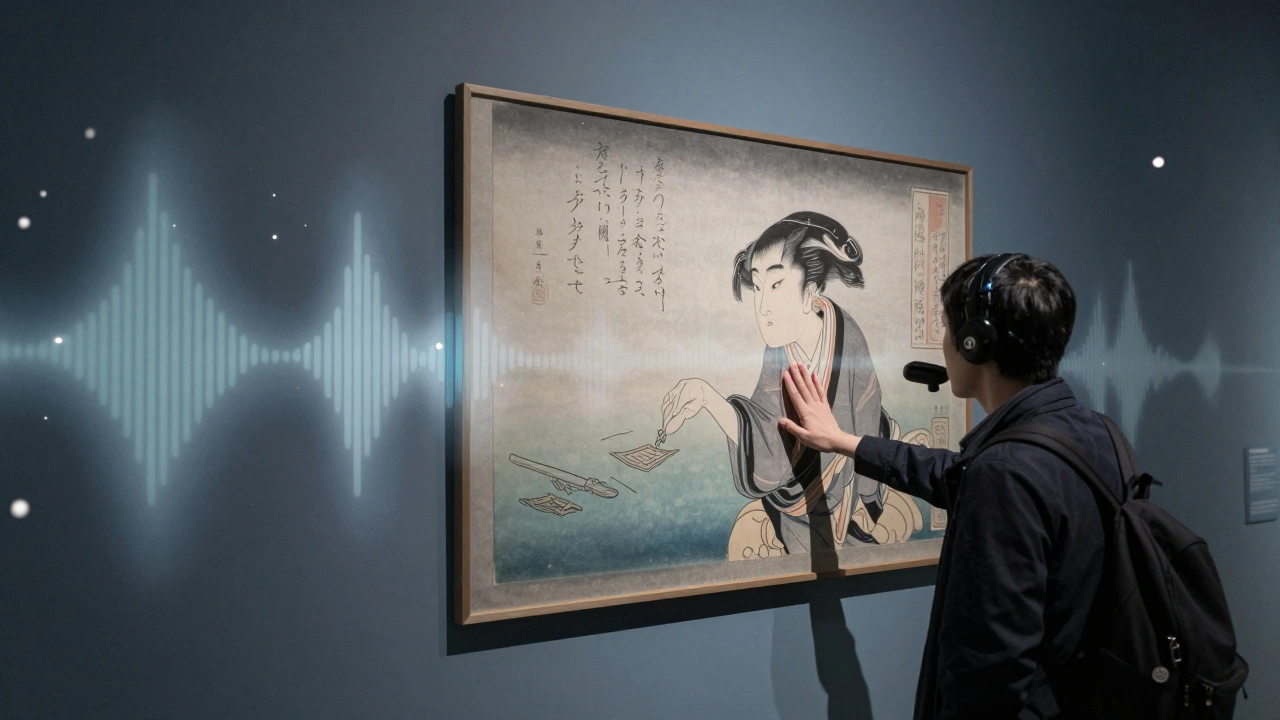
Imagine walking into a gallery of Japanese ukiyo-e prints. As you move, your audio guide detects your position via Bluetooth beacons and plays a layered soundscape: the rustle of rice paper, the soft scratch of a woodblock carving, the whisper of a poet reciting the scene. Then, a voice explains how the artist used color to suggest wind, how the folds in a kimono tell you the character’s mood - all while your fingers rest on a raised outline of the print.
These guides are customizable. You can choose the pace. Skip the history. Dive deeper into technique. Switch to a description narrated by a blind artist who’s spent decades interpreting visual art through touch. Some museums even let you download personal audio tours from their app - recorded by curators, conservators, or community members who’ve lived with disability.
Designing Tactile Models: What Makes Them Work
Not every raised surface helps. Some tactile models are cluttered, confusing, or so simplified they lose meaning. The best ones follow three rules:
- Focus on key features - Don’t try to replicate every brushstroke. Highlight the silhouette, the weight, the movement. A sculpture of a dancer? Emphasize the arch of the back, the lift of the leg - not the lace on the shoe.
- Use consistent texture coding - Smooth = flat surface. Bumpy = texture. Ridges = edges. Rough = fabric or foliage. Once visitors learn the system, they can decode anything.
- Test with real users - No designer knows better than someone who’s never seen the artwork. Museums in Portland, Boston, and London now have advisory panels of blind and low-vision visitors who review every model before it goes on display.
Materials matter too. Silicone rubber holds fine detail without breaking. Foam core is light and safe. Some models include magnetic bases so they can be moved and rearranged - letting visitors build their own compositions.
Audio Guide Tech That Actually Works
Old audio guides were clunky. Heavy headphones. Weak batteries. Confusing buttons. Today’s systems are simpler and smarter.
- Most use Bluetooth Low Energy (BLE) beacons - no need to press buttons. Just walk near a piece, and the right audio starts.
- Some devices are voice-activated. Say, “Play description,” and it responds.
- Others sync with smartwatches, so the audio comes through a wristband - no extra gear to carry.
- Apps let you adjust volume, speed, and even switch between narration styles: descriptive, poetic, technical, or conversational.
And it’s not just about the tech. The script matters. A good audio description doesn’t say, “There’s a man with a hat.” It says, “He leans forward, one hand gripping the edge of the table like he’s about to speak - his eyes fixed on someone just out of frame. The light catches the edge of his hat, but his face is in shadow.” That’s storytelling, not labeling.
Real Examples That Changed the Game
The Smithsonian’s National Museum of American History installed tactile models of the Liberty Bell and the First Ladies’ gowns in 2023. Visitors can now feel the crack in the bell, the weight of the silk, the tiny beads sewn by hand. Audio guides describe the sound of the bell ringing - not just its size, but how it vibrates through the air, how it echoes in a crowd.
The Tate Modern in London launched a program called “Touch the Art” in 2024. Every major exhibit includes tactile models and personalized audio tours. One blind visitor, a former architect, said, “I’ve never felt the space of a Matisse painting before. Now I know how the colors move through the room - like wind.”
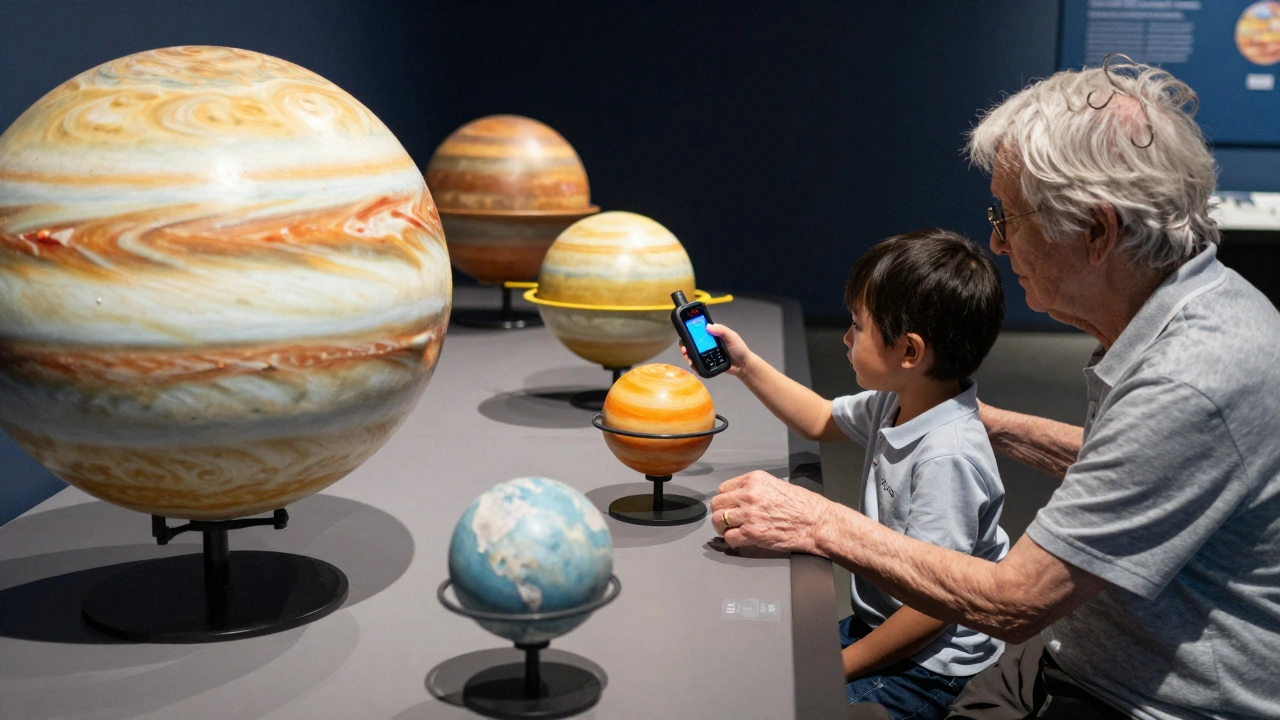
In Portland, the Oregon Museum of Science and Industry added a tactile version of the solar system. Each planet is a different texture: Jupiter is rough with swirling ridges. Mercury is cool and smooth. Visitors use an audio app to hear how long it takes light to travel from the sun to each one - and how the gravity changes as you move from one to the next.
Costs and Myths
Some museums say they can’t afford this. But the truth? It’s not about cost - it’s about priorities.
A single tactile model costs between $500 and $2,000. That’s less than one high-end frame. An audio guide system can run $10,000 - but it lasts 10 years and serves thousands. Many grants exist: the National Endowment for the Arts, the Getty Foundation, and local disability funds all support inclusive design.
And here’s the kicker: accessible design doesn’t just help disabled visitors. Parents with strollers use tactile models to explain art to toddlers. Seniors with memory loss find audio cues help them reconnect with memories. Students with learning differences benefit from multi-sensory input. Even sighted visitors say they understand art better when they can feel it.
What’s Next?
The future of exhibition design isn’t about making things bigger or brighter. It’s about making them deeper. About letting people enter art through touch, sound, and memory - not just sight.
Some museums are experimenting with haptic gloves that simulate texture remotely. Others are using AI to turn paintings into real-time soundscapes - so if you look at a Van Gogh, the swirling stars hum in pitch and rhythm.
But the real breakthrough? It’s not tech. It’s attitude. When museums stop asking, “How do we make this visible?” and start asking, “How do we make this meaningful?” - that’s when accessibility becomes part of the art itself.
Are tactile models only for people who are blind?
No. Tactile models help anyone who learns better through touch - including children, people with autism, older adults with memory loss, and even sighted visitors who want to experience art differently. Many museums report that tactile exhibits become some of the most popular in the gallery.
Can I make a tactile model myself?
Yes, with the right tools. Many museums offer DIY kits using 3D-printed bases and silicone molds. Start with simple shapes - a leaf, a mask, a hand. Use materials like air-dry clay, foam, or textured resin. The key is consistency: use the same texture codes (smooth = flat, bumpy = texture) so users can learn the system. Always test with someone who has low vision before displaying it.
Do audio guides work without smartphones?
Absolutely. Most museums provide dedicated handheld devices with simple buttons, long battery life, and clear audio. These are often loaned out at the entrance. Some even use Bluetooth beacons that trigger audio automatically as you approach a piece - no device needed beyond the exhibit’s built-in system.
How do museums decide which artworks to make accessible?
They prioritize pieces with strong form, texture, or movement - sculptures, architectural models, textiles, and large-scale paintings. But they also consider emotional impact. A quiet portrait might get a tactile version because the expression tells a story. A chaotic abstract might get an audio guide that translates color into sound. It’s not about difficulty - it’s about meaning.
Is there training for staff to support these exhibits?
Yes. Leading museums now require staff to complete accessibility certification. Training includes how to describe art without visual language, how to guide someone to a tactile model, and how to listen to feedback. One museum in Chicago reports that after training, visitor satisfaction among disabled guests jumped from 42% to 89% in six months.