Digital Label Systems: CMS and QR Code Management for Exhibitions
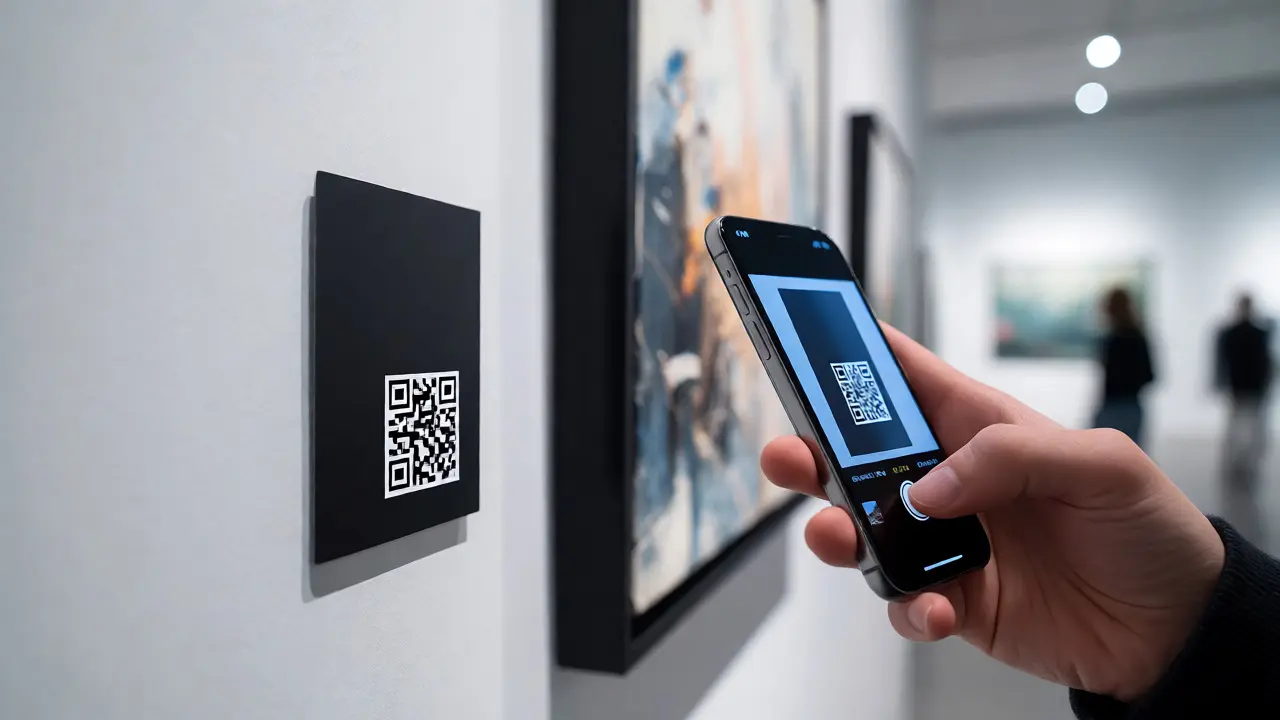
Imagine you are a curator preparing a major retrospective. You have forty artworks, three loan agreements with strict credit line requirements, and a deadline that was yesterday. In the old days, this meant endless spreadsheets, manual proofreading of wall text, and praying no one accidentally pasted the wrong date on a gallery card. Today, Digital Label Systems combined with robust Content Management Systems (CMS) and dynamic QR code management have changed the game entirely. It is not just about printing pretty cards; it is about creating a single source of truth for your exhibition data that flows seamlessly from your database to the visitor's phone.
The Death of the Static Spreadsheet
Let’s be honest: Excel is great for numbers, but terrible for managing complex relationships between objects, loans, and media assets. When you use a dedicated Exhibition CMS, you stop duplicating data. A modern system allows you to input object details-artist name, medium, dimensions, provenance, and copyright status-once. From there, the system generates the physical labels, the website entries, and the digital content linked via QR codes. This eliminates the "copy-paste" errors that plague traditional workflows. If you update an artist’s biography in the CMS, it updates everywhere instantly. No more reprinting five hundred labels because of a typo in a birth year.
Why QR Codes Are More Than Just Links
A QR code on a museum wall is often seen as a gimmick, but when managed correctly, it becomes a powerful educational tool. The key difference lies in static versus dynamic QR codes. A static QR code hardcodes the URL into the pattern itself. Once printed, if you change the destination URL or want to fix a broken link, you have to reprint the label. That is expensive and slow. Dynamic QR Code Management solves this by using a redirect service. The QR code points to a short, permanent URL owned by your institution, which then redirects to the current content page. This means you can update the digital interpretation behind the label without touching the physical print. For curators, this flexibility is invaluable during long-running exhibitions where context might shift due to new research or special events.
Building Your Content Workflow
How do you actually set this up? It starts with defining your data structure. Before you pick software, map out what fields you need. Standard metadata like Dublin Core elements are a good starting point, but you will likely need custom fields for installation notes, conservation status, or interactive audio transcripts. Once your schema is defined, integrate your Collection Management System (CMS) with your label generation tool. Most modern platforms offer APIs that allow these two systems to talk to each other. When a curator approves a draft in the collection database, it triggers the label generator to create a high-resolution PDF ready for the printer. Simultaneously, the system generates the unique QR code string and registers it in the tracking dashboard.
| Feature | Traditional Workflow | Integrated Digital System |
|---|---|---|
| Data Source | Multiple disconnected files (Word, Excel, PDF) | Single centralized database |
| Error Rate | High (manual copy-pasting) | Low (automated population) |
| Update Speed | Days (reprint required) | Minutes (digital update only) |
| Analytics | None | Real-time scan tracking |
| Cost per Update | High (printing + labor) | Negligible (server costs) |

Managing Visitor Engagement Data
Here is where things get interesting for administrators and funders. When you use a managed QR system, you gain access to analytics. You can see exactly which artworks are getting scanned most frequently. Did visitors skip the contemporary wing but linger in the Renaissance hall? Did they scan the QR code for the controversial piece but ignore the serene landscape next to it? These insights help you refine curation strategies for future shows. Furthermore, you can track device types and geographic locations of scanners, helping you understand if your audience is primarily local tourists or international travelers. This data transforms your exhibition from a static display into a measurable engagement platform.
Pitfalls to Avoid
It is not all smooth sailing. One common mistake is over-relying on QR codes for essential information. Remember, not everyone has a smartphone, and some visitors may have low battery or poor connectivity. Always ensure that critical information-like the title, artist, and date-is present on the physical label. The QR code should add value, providing deeper context, audio guides, or related resources, not replace the basics. Another pitfall is neglecting accessibility. Ensure the landing pages linked by QR codes are mobile-responsive and screen-reader friendly. If your digital content is a heavy video file that takes forever to load on cellular data, visitors will bounce before they even start reading.

Choosing the Right Tech Stack
You do not need to build this from scratch. There are several established players in the museum tech space. Look for solutions that prioritize interoperability with standards like LIDO (Lightweight Information Describing Objects) or CIDOC CRM. These standards ensure that your data remains portable and usable regardless of which vendor you choose. Some institutions prefer open-source solutions like CollectiveAccess or TMS (The Museum System) paired with third-party QR generators. Others opt for SaaS platforms specifically designed for galleries, such as Artlogic or specialized exhibition management tools. Whichever you choose, test the integration thoroughly before opening day. Run a pilot with a small section of your collection to identify any friction points in the workflow.
The Future of Curatorial Tools
We are moving toward smarter, more contextual experiences. Imagine walking up to a painting, scanning a code, and receiving an augmented reality overlay showing the underdrawing beneath the paint layers. Or perhaps the QR code adapts its content based on the time of day or current crowd levels. As AI becomes more integrated into content management, we might see systems that auto-generate initial label drafts based on object metadata, leaving curators to focus on editing and refining rather than writing from scratch. The technology is evolving rapidly, but the core principle remains: give curators better tools so they can spend less time fighting with formatting and more time telling stories.
Do I need a separate CMS for my website and exhibition labels?
Not necessarily. Many modern institutions use a unified content strategy where the same backend serves both web content and print labels. However, if your website uses a different platform (like WordPress) than your collection database, you will need middleware or API integrations to sync the data. The goal is to avoid double entry.
What happens if the internet goes down in the gallery?
If you rely solely on cloud-hosted QR destinations, visitors will get a blank page or error message. To mitigate this, consider caching strategies or hybrid models where essential text is on the physical label, and the QR code provides optional deep dives. Some advanced setups use local servers within the building to serve content, ensuring availability even if external connectivity fails.
How many QR codes can one label support?
Technically, a label can have multiple QR codes, but user experience suffers if there are too many. Best practice suggests limiting it to one primary QR code per object. If you need to offer multiple options (e.g., audio guide, video interview, scholarly article), use a single QR code that leads to a clean, mobile-friendly menu page where the visitor chooses their path.
Is dynamic QR code management secure?
Yes, provided you manage the permissions correctly. Dynamic codes use a redirect service controlled by your admin panel. You must ensure that only authorized staff can edit the destination URLs. Using HTTPS links ensures that the connection between the visitor's phone and your server is encrypted, protecting user data during the scan process.
Can visitors interact with the labels without downloading an app?
Absolutely. Modern smartphones have built-in camera apps that recognize QR codes natively. Visitors simply open their camera, point it at the code, and tap the notification banner that appears. This directs them to a mobile-optimized webpage. Requiring an app download creates unnecessary friction and reduces participation rates significantly.